
Why is MixKey the best mixer for streamers?
Free download for Mac/Windows

Sound like a pro. Fast. All-in-one streaming audio mixer software.
Steinberg’s advanced processing automatically manages your levels, so you are ready to go live within minutes, with intelligent Auto Gain and seamless system integration built in.

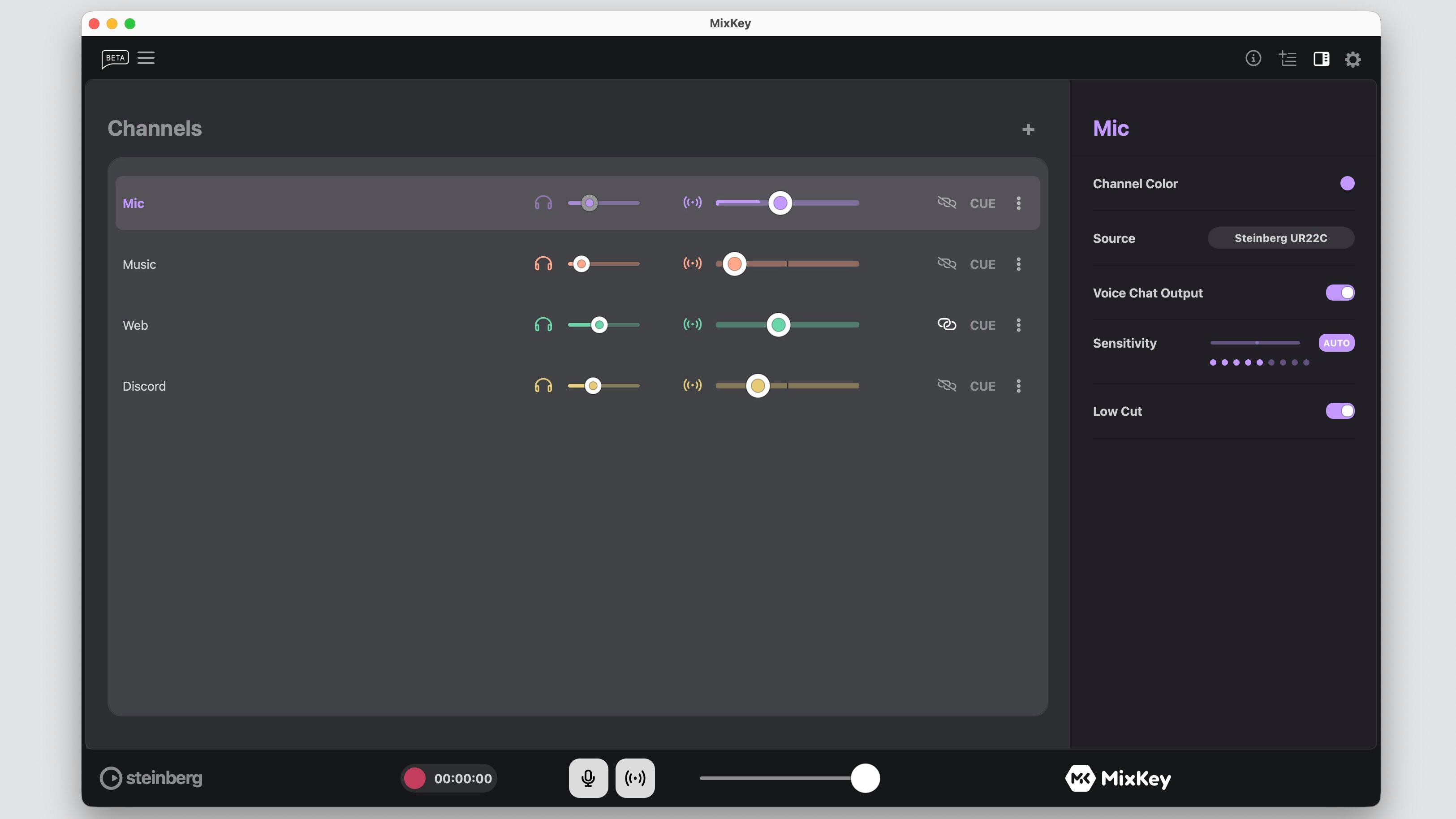
Sensitivity (Auto-Level)
No guesswork needed: MixKey sets your levels for you, so you can jump right in without any hassle, using refined Auto Gain technology for consistently balanced sound.
Clean recording
Capture a studio-quality WAV of your full mix — ready to drop, stream, or upload to your favorite streaming platform.
Refine your sound: Low-Cut Filter
Sound clean and professional — no rumble, no boominess, just your voice in crystal-clear quality.
Anything goes in. Everything works out.
Any gear in. Custom feeds out. Total control.
Hardware-agnostic freedom
USB microphones, professional, or prosumer audio gear, ASIO drivers… MixKey is built to work with any streaming software and whatever you already use. Enhanced ASIO performance and optimized WDM exclusivity ensure stable, low-latency operation across setups. No proprietary lock-ins, no complicated setup, and no compatibility issues — just plug in and start streaming.
Multiple flexible channels
Whether it’s your mic, guitar, game, browser, or Discord — just drag it in. All your sources come together in one flexible, streamlined interface, where you can mix, balance, and manage everything without distraction. Clearly defined channel types and dedicated app icons on every channel fader keep your setup visually organized and easy to navigate. It’s all in one place and fully under your control.
Multi-output magic
Send your mix to OBS, Discord, and your headphones at the same time — each with its own independent volume level. Stay in control of what everyone hears, including fully separated voice chat routing for parallel communication.
We’re here if you feel like sharing
Someone you should check out:
MixKey integrates with
Stream smarter. Stress less.
MixKey keeps you on air and in control, even when life happens, with built-in recovery mechanisms that help prevent interruptions
No need to panic
Panic buttons let you instantly mute your microphone or cut your entire outgoing audio — no fumbling, no delay. A dedicated mic mute and reliable app recovery ensure you stay in control, even in critical moments
Solo it. Hear it.
Preview a channel’s signal in your headphones, before it hits the fader or the mix, with accurate cue behavior across all channel types.
Hear what they hear
Link your monitor to the streaming level and hear what your audience hears in your live stream.
Catch our cast
Tune in to our channel for live sessions, tips, and more. We stream regularly.
Make it yours
Make it look and feel how you want, with a refined interface designed for clarity and speed.
It’s customizable
Make MixKey truly yours. Personalize channel names, colors, and adjust the overall look to match your style. The interface is fully resizable, and every element adapts seamlessly to the window size and integrates perfectly into your streaming setup, giving you complete control over how you work.
Each channel visually reflects its assigned app or source type for faster recognition and smoother workflows.
Voice Chat Output
Route your microphone to Discord, Zoom, or any other app through a dedicated output, kept completely separate from your main mix. This lets you stream, record, and communicate in parallel, without overlap or interference.
Learn more about MixKey. Right here. Right now.
Set Up MixKey for Streaming in Minutes
MixKey Mixer & Mic Control Explained
MixKey Interface Overview
Yes, we work with anything, but why not use the best?
URX Series
Perfect for creators: from content production to live streaming and performance
Learn moreMGX Series
Digital mixing console featuring versatile capabilities and portability.
Learn moreUR-MK3 Series
Stream-ready starter: simple, portable, professional sound anywhere.
Learn more